
Adding accounts to your user
You can add multiple accounts to your username account. This is very helpful in the case you need to separate your data to different accounts. Some examples are if you need your data for different departments or companies.
How to add a new account
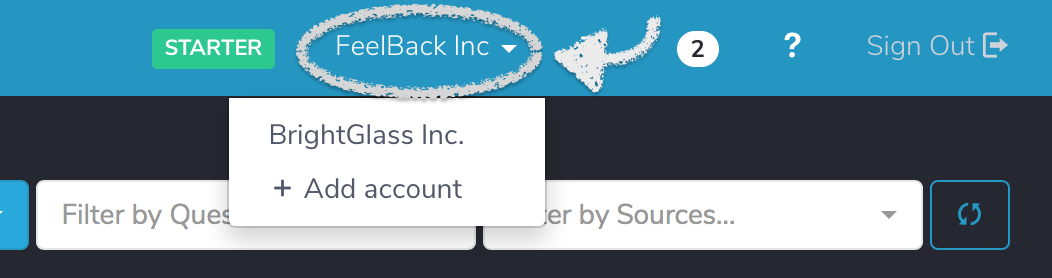
Once you did your signup in FeelBack.io you will already have a account associated to your user. To add a new one you just need to click in the + Add Account located once you click on the name of your actual account. For example:

Once you press the + Add account option you will just need to type the name for this account at the popup window, as seen in the following image:
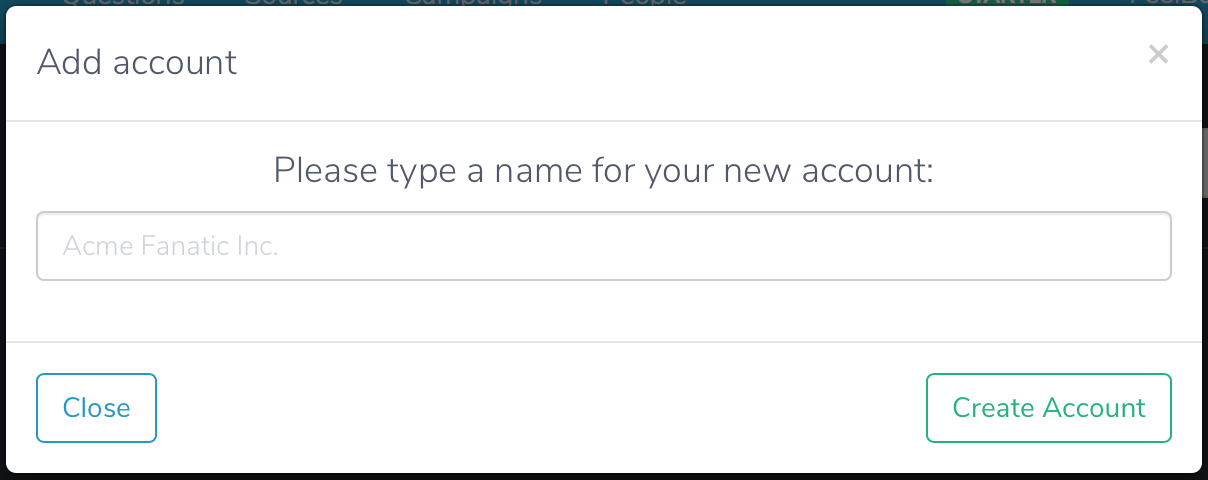
Once you are ready just press the Create Account option and you will be directed to your new account using your same sign-in username.
Switching accounts
You may switch accounts at any time by selecting the account you want to go in the accounts menu. The following image shows how to access it:
Updated about 1 year ago